


In today’s digital economy, a website is no longer just a digital brochure—it is a business engine. And for most companies, WordPress remains the backbone of that engine. Powering over 40% of the web, WordPress gives flexibility, scalability, and ease of use. But here’s the reality many business owners overlook: simply having a WordPress website does not guarantee visibility on Google.
Search engines have become significantly more sophisticated. Google now evaluates not just content quality, but also technical performance, user experience, site structure, and security signals. In fact, research consistently shows that over 53% of users abandon a site if it takes longer than three seconds to load. That alone highlights why technical SEO is no longer optional—it is foundational.
This guide walks you through a complete, business-focused technical SEO checklist for WordPress sites. Whether you’re a startup founder, SME owner, CTO, or enterprise decision-maker, this will help you ensure your website is built for both users and search engines.
Understanding Technical SEO in WordPress
Technical SEO refers to optimizing the backend structure of your website so search engines can crawl, index, and rank it efficiently. Unlike content SEO, which focuses on keywords and blogs, technical SEO ensures your website is structurally sound.
For WordPress users, this becomes even more important because the platform relies heavily on themes, plugins, and configurations. A poorly optimized setup can slow down your site, create duplicate pages, or block search engines from indexing important content.
Think of technical SEO as the foundation of a building. No matter how beautiful the design or interiors are, if the foundation is weak, the structure will eventually fail.
Website Crawlability and Indexing Setup
One of the first things search engines do is crawl your website. If they cannot access your pages properly, your rankings will suffer regardless of content quality.
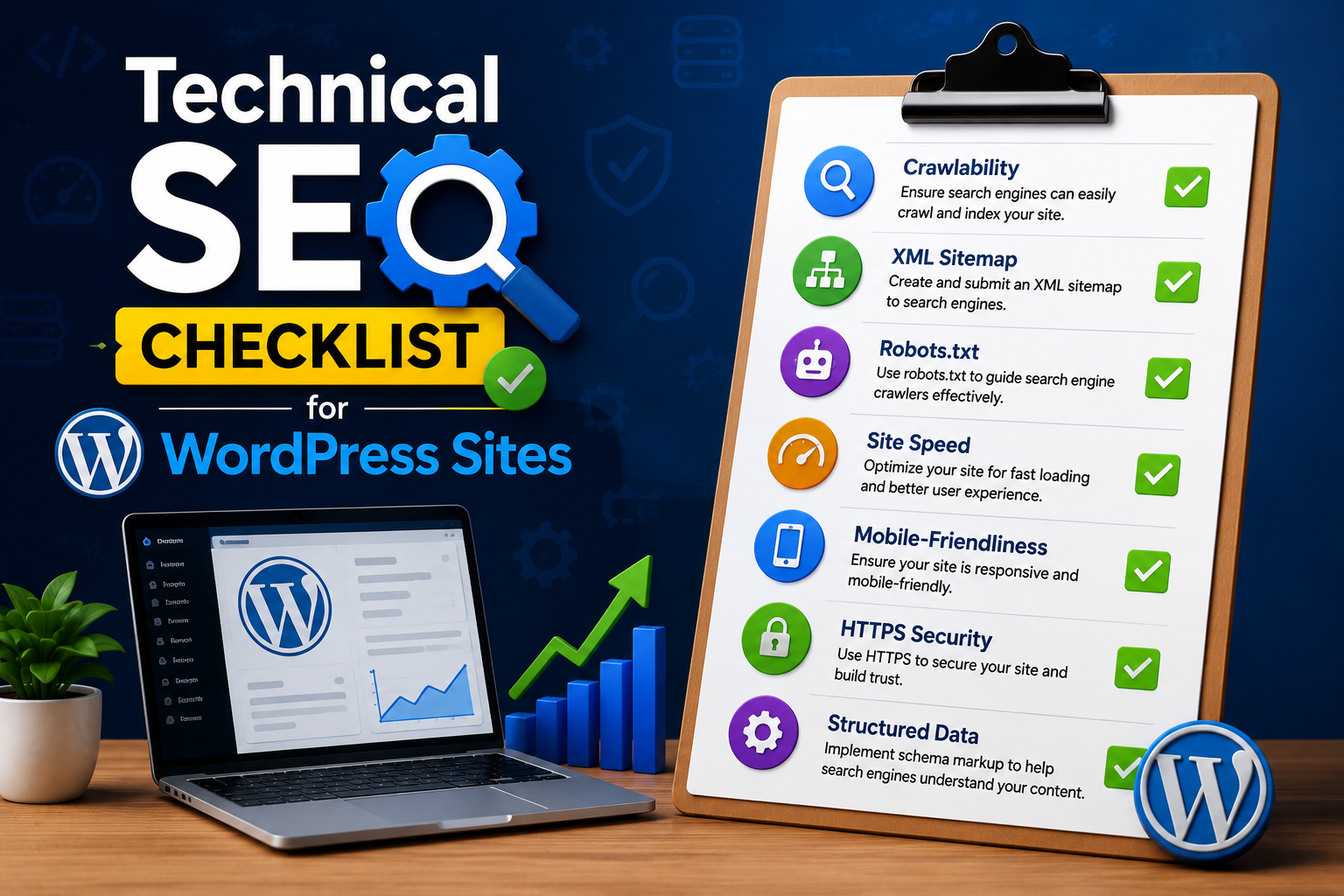
A properly configured WordPress site ensures that search engines can easily navigate all important pages. This includes checking your robots.txt file, submitting an XML sitemap, and ensuring that no critical pages are accidentally blocked from indexing.
Many businesses unintentionally restrict search engines during development and forget to remove those restrictions later. This is a common issue seen in startups launching new websites quickly without SEO validation.
A real-world example is eCommerce brands that launch seasonal campaigns but forget to update indexing settings, causing product pages to remain invisible in search results. These small oversights can lead to significant revenue loss.
Site Speed Optimization and Performance
Site speed has become one of the strongest ranking signals in modern SEO. Google’s Core Web Vitals update emphasized performance as a direct ranking factor.
For WordPress websites, speed issues often come from heavy themes, unoptimized images, excessive plugins, or poor hosting infrastructure. A slow website not only affects rankings but also directly impacts conversions.
Studies show that even a one-second delay in page load time can reduce conversions by up to 7%. For an online business generating significant monthly revenue, this can translate into substantial financial loss.
Optimizing performance involves compressing images, enabling caching, using lightweight themes, and choosing reliable hosting. Many enterprise-level companies now invest in CDN (Content Delivery Networks) to ensure global speed consistency.
A fast website doesn’t just satisfy Google—it improves user trust and engagement, which indirectly strengthens SEO performance.
Mobile Optimization and Responsive Design
With mobile devices accounting for more than 60% of global web traffic, mobile optimization is no longer optional. Google follows a mobile-first indexing approach, meaning it primarily evaluates the mobile version of your site for ranking.
WordPress themes today are often responsive by default, but that does not guarantee perfect mobile performance. Issues such as overlapping elements, slow mobile load times, or intrusive pop-ups can negatively affect rankings.
Businesses that invest in mobile optimization often see higher engagement rates and lower bounce rates. For example, a retail startup that optimized its mobile checkout experience saw a 35% increase in mobile conversions within a few months.
A well-optimized WordPress site ensures smooth navigation, readable text, and fast loading on all screen sizes. This consistency plays a crucial role in both SEO and user satisfaction.
URL Structure and Site Architecture
A clean and logical site structure helps search engines understand your content hierarchy. WordPress allows flexible URL customization, which should always be used strategically.
URLs should be short, descriptive, and easy to understand. A well-structured site ensures that important pages are not buried too deep within the architecture.
From a business perspective, clear site architecture improves both SEO and user experience. When users can easily find what they need, they stay longer, engage more, and convert better.
For example, SaaS companies that simplify their navigation structure often report higher demo signups because users can reach key landing pages faster.
Internal linking also plays a major role here. It helps distribute page authority across your website and improves crawl efficiency for search engines.
Core Web Vitals Optimization
Core Web Vitals are a set of performance metrics introduced by Google to measure real-world user experience. They focus on loading speed, interactivity, and visual stability.
For WordPress sites, these metrics are heavily influenced by theme quality, script management, and server response time. Poorly coded plugins or excessive animations can negatively affect performance scores.
Businesses that optimize Core Web Vitals often notice improvements in both rankings and engagement metrics. Google prioritizes websites that offer stable and smooth experiences.
In competitive industries like finance, healthcare, and SaaS, even minor improvements in these metrics can create a significant competitive advantage.
Secure Website with HTTPS and SSL
Security is now a ranking factor in Google’s algorithm. Websites without HTTPS are often marked as “Not Secure,” which reduces user trust immediately.
SSL certificates encrypt data between users and servers, ensuring safe communication. For WordPress websites, most hosting providers now offer free SSL installation.
From a business standpoint, security is not just about SEO—it is about credibility. Customers are far more likely to engage with a website that visibly demonstrates trustworthiness.
Enterprises handling sensitive data, such as payment information or customer records, must prioritize security not just for SEO but for compliance and brand reputation.
Structured Data and Schema Markup
Structured data helps search engines understand the context of your content more effectively. It enhances search visibility through rich results like FAQs, reviews, and product snippets.
WordPress makes it relatively easy to implement schema using plugins, but proper configuration is essential. Incorrect schema implementation can confuse search engines and reduce visibility.
Businesses using structured data often see higher click-through rates because their listings appear more attractive in search results.
For example, an eCommerce site using product schema may display price, ratings, and availability directly on Google, increasing user engagement even before a click happens.
Fixing Duplicate Content Issues
Duplicate content is a common technical SEO issue in WordPress due to tag pages, category archives, and URL variations.
Search engines may struggle to determine which version of a page should rank, leading to diluted authority. Canonical tags help resolve this issue by specifying the preferred version of a page.
Many large websites unknowingly suffer from duplicate content problems, especially when content is syndicated or republished across multiple sections.
Cleaning up duplicate content improves crawl efficiency and ensures that link equity is properly consolidated.
XML Sitemap and Robots.txt Optimization
An XML sitemap acts as a roadmap for search engines, guiding them to all important pages on your website. WordPress SEO plugins automatically generate sitemaps, but they must be regularly reviewed.
Similarly, the robots.txt file tells search engines which pages to crawl and which to ignore. Misconfigurations here can accidentally block entire sections of your website.
Businesses often overlook these files after initial setup, but periodic audits ensure continued SEO health.
Image Optimization for SEO
Images play a significant role in user engagement, but they can also slow down websites if not optimized properly.
Compressed images, modern formats like WebP, and proper alt text usage help improve both performance and accessibility.
From an SEO perspective, optimized images can also rank in Google Image Search, bringing additional organic traffic.
For businesses in fashion, travel, or real estate, image SEO can become a major traffic driver.
WordPress Plugin Management
Plugins extend WordPress functionality, but excessive or poorly coded plugins can negatively affect performance and security.
Regular audits of installed plugins ensure that only necessary tools are active. Lightweight, well-maintained plugins contribute to better SEO performance.
Enterprises often use staging environments to test plugin updates before deploying them live, reducing the risk of performance issues.
Conclusion
Technical SEO is the foundation of a successful WordPress website. Without it, even the best content and marketing strategies struggle to deliver results. From site speed and mobile optimization to structured data and security, every technical element contributes to your overall search visibility.
For startups, SMEs, and enterprises alike, investing in technical SEO is not a one-time task—it is an ongoing process that evolves with search engine algorithms and user expectations.
A well-optimized WordPress site not only ranks higher but also delivers better user experiences, stronger engagement, and improved conversions. In a competitive digital landscape, these advantages directly translate into business growth.
FAQ
1. What is technical SEO in WordPress?
Technical SEO in WordPress refers to optimizing the backend structure of your website so search engines can crawl, index, and rank it effectively.
2. Why is site speed important for SEO?
Site speed affects user experience and is a confirmed Google ranking factor. Slow websites often have higher bounce rates and lower conversions.
3. Do WordPress plugins affect SEO?
Yes, plugins can significantly impact SEO. Poorly coded or excessive plugins can slow down your site and create technical issues.
4. How often should I audit my WordPress SEO?
It is recommended to audit your technical SEO every 3–6 months to ensure optimal performance and fix emerging issues.
5. Is technical SEO a one-time process?
No, technical SEO is an ongoing process that requires regular monitoring and updates as algorithms and website content evolve.