


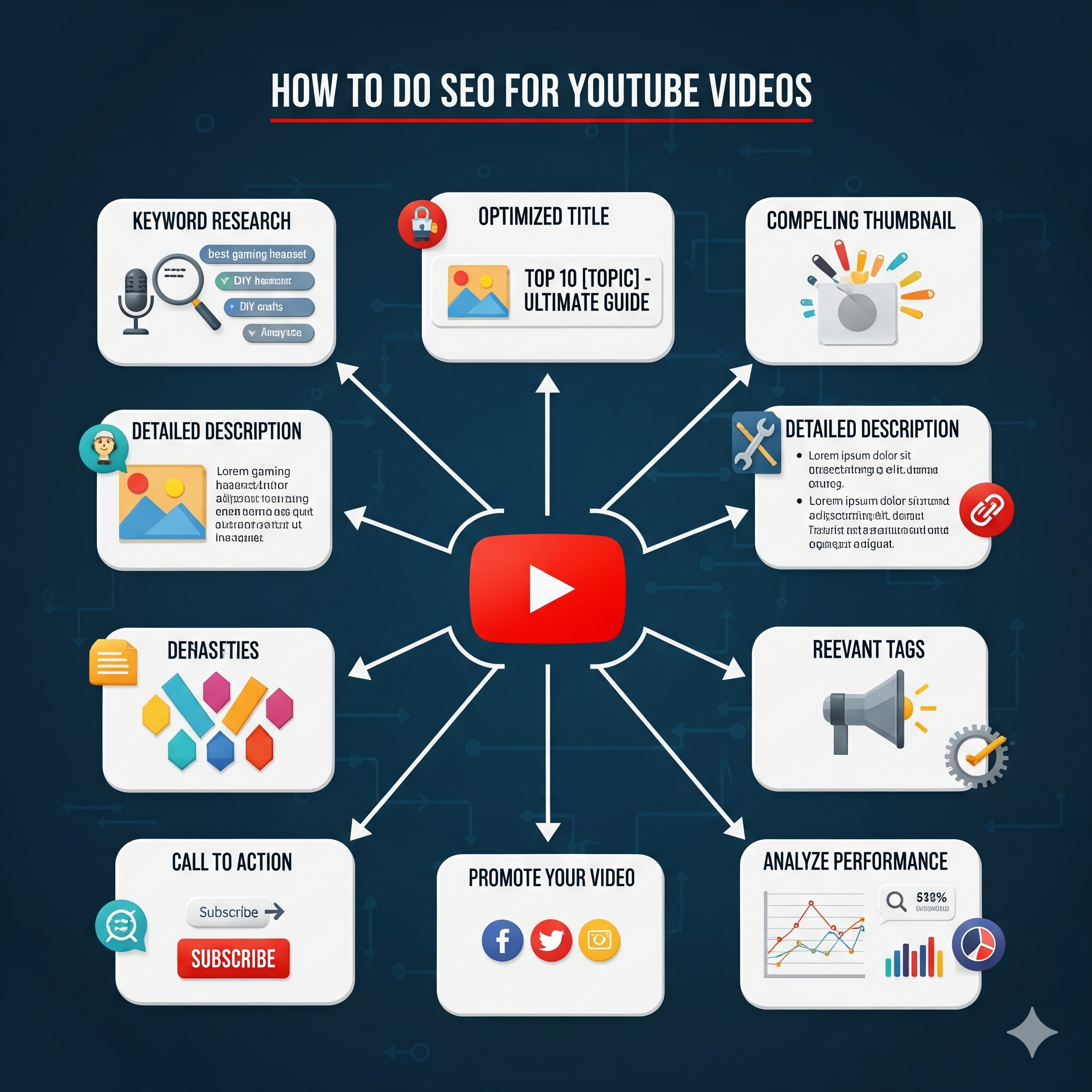
How to Do SEO for YouTube Videos: A Complete Guide
YouTube is the second‑largest search engine in the world, after Google. Millions of people use it every day to
find answers, tutorials, entertainment, and product reviews. If you’re creating YouTube videos, YouTube SEO
(search engine optimization) is the most powerful way to get discovered, grow your channel, and drive traffic
back to your website or business.
What Is YouTube SEO?
YouTube SEO is the process of optimizing your videos so they rank higher in YouTube search and recommendations.
Good SEO helps your videos appear when people search for topics related to your content, whether they’re viewing
on mobile, desktop, TV, or inside the YouTube app.
Unlike traditional website SEO, YouTube SEO focuses on:
- Keywords in titles, descriptions, and tags.
- Watch time, engagement, and audience retention.
- Channel health and consistency.
- Video format (Shorts, long‑form, live streams).
Think of YouTube SEO as a mix of on‑video and off‑video optimization. You’re not just trying to rank in search;
you’re also trying to keep viewers watching, liking, commenting, and subscribing.
Why YouTube SEO Matters
Competition on YouTube is higher than ever. Brands, creators, and agencies are investing more into video than
ever before. YouTube SEO gives you a structured way to stand out.
Here’s why it matters:
- YouTube is a search engine. People type questions like “How to remove stains from clothes”
or “best digital marketing courses” into YouTube search. If your video is optimized, you can capture that
traffic. - Videos appear in Google, too. Many YouTube results show up in Google’s search engine
results pages (SERPs). Optimizing your videos can drive traffic from both YouTube and Google. - YouTube pushes watch time and engagement. The algorithm favors videos that keep people
watching and interacting. SEO helps you rank while analytics help you keep viewers. - Shorts and long‑form both benefit from SEO. Whether you’re posting 15–60 second Shorts or
10–20 minute long‑form videos, good SEO improves your chances of discovery. - For creators in regions like India, mastering YouTube SEO is especially important because
mobile‑first, video‑first content is the norm.
Step 1: Keyword Research for YouTube
Before you record a single video, you need to know what people are searching for. Keyword research is the
foundation of YouTube SEO.
1. Use YouTube Autocomplete
Go to YouTube’s search bar and start typing a broad topic. For example:
- Type “digital marketing”
- Explore suggestions like:
- “digital marketing course”
- “digital marketing basics”
- “how to learn digital marketing”
These suggestions show what real users are searching for in your niche.
2. Analyze Related Videos
Find a few top‑ranking videos in your niche and open them. Look at:
- Their titles.
- Their descriptions.
- The comments section (people often ask questions you can turn into videos).
You can also use browser extensions or tools like vidIQ, TubeBuddy, or Semrush to see which keywords a video is
targeting.
3. Use Keyword Research Tools
Several tools help you find YouTube‑friendly keywords:
- Google Trends (to see rising topics).
- Ubersuggest, SEMrush, or Ahrefs (for keyword volume and competition).
- YouTube‑specific tools like vidIQ or TubeBuddy (for tag and keyword suggestions).
Focus on “long‑tail keywords”—more specific phrases like “best Instagram marketing tips for small businesses”
instead of “Instagram marketing.”
Long‑tail keywords usually have less competition and clearer intent, which means better chances of ranking and
higher watch time.
4. Choose a Primary Keyword
Pick one main keyword per video. For example:
- Primary keyword: “how to do SEO for YouTube videos”
- Supporting keywords: “YouTube SEO guide,” “YouTube SEO tips,” “rank YouTube videos”
Use your primary keyword in the title, description, and tags, but keep it natural and human‑friendly.
Step 2: Optimize Your Video Title
The title is one of the most important on‑page SEO elements for YouTube videos.
Best Practices for YouTube Titles
- Place your primary keyword near the beginning.
Example: “How to Do SEO for YouTube Videos | Step‑by‑Step Guide” - Keep it clear and specific.
Avoid vague titles like “Watch This Amazing Video” or misleading clickbait. - Aim for about 50–60 characters.
This ensures your title displays fully on mobile and desktop. - Add a benefit or hook.
Use phrases like “Step‑by‑Step,” “Complete Guide,” “For Beginners,” or “Proven Tips” to attract clicks.
Avoid stuffing keywords. “YouTube SEO for YouTube SEO tips YouTube SEO guide how to rank YouTube videos” looks
spammy and feels unnatural.
Step 3: Write a Strong Video Description
The description tells YouTube and viewers what your video is about. YouTube can read the first few lines quickly
and use them in search and suggested‑video algorithms.
How to Structure Your Description
1. First 2–3 Sentences (Keyword‑Rich and Clear)
Summarize the video and include your primary keyword. Make it helpful and scannable.
Example:
“In this YouTube SEO guide, you’ll learn exactly how to do SEO for YouTube videos, from keyword research
and thumbnails to engagement and analytics.”
2. Detailed Explanation
Expand on what the video covers. You can mention:
- What the viewer will learn.
- Key chapters or timestamps (for longer videos).
- Links to resources, tools, or your website.
3. Timestamps (for Long‑Form Videos)
Include timestamps so viewers can jump to specific sections:
- 0:00 Intro
- 1:15 Keyword Research
- 3:30 Title Optimization
- 5:45 Thumbnails and CTR
- 8:20 Analytics and Iteration
YouTube sometimes shows these timestamps in search results, improving click‑through rate.
4. Hashtags and Links
Add 3–5 relevant hashtags at the end (e.g., #YouTubeSEO, #VideoMarketing,
#DigitalMarketing).
Note: If you use more than about 15 hashtags, YouTube ignores them all.
Include links to:
- Your website or landing page.
- Related videos or playlists.
- Social media profiles.
5. Call‑to‑Action (CTA)
Encourage engagement:
- “Like this video if you found it helpful.”
- “Subscribe for more YouTube SEO tips.”
- “Comment with your biggest YouTube challenge.”
Step 4: Use Tags Wisely
Tags help YouTube understand your video’s topic and context, even though they’re less visible to viewers.
How to Use Tags
- Include your primary keyword.
Example: “YouTube SEO,” “how to do SEO for YouTube videos” - Add 5–10 supporting tags.
- Topic‑specific tags: “YouTube SEO tips for beginners.”
- Brand‑specific tags: your channel name or website.
- Format tags: “long‑form video,” “YouTube Shorts,” “tutorial.”
- Avoid overloading.
You don’t need 50+ tags. Focus on relevance, not quantity.
You can also look at similar high‑ranking videos and borrow logical tags (without copying them exactly).
Step 5: Create a Compelling Thumbnail
Your thumbnail is the “cover image” of your video. It appears in search results, suggested videos, and your
channel. A great thumbnail boosts click‑through rate (CTR), which YouTube interprets as a quality signal.
Thumbnail Best Practices
- Use high‑quality, clear images.
Blurry or pixelated thumbnails look unprofessional. - Include readable text.
Use short, bold text that’s easy to read even on small mobile screens. - Use strong contrast and colors.
Bright backgrounds and contrasting text stand out more. - Show a human face (if relevant).
Viewers respond well to expressive faces, especially in education or storytelling videos. - Stay consistent with your brand style.
Use the same fonts, colors, and layout across thumbnails so viewers recognize your videos instantly.
Avoid clickbait thumbnails that don’t match the video content. YouTube’s AI can detect mismatch and may hurt your
watch time and rankings.
Step 6: Choose the Right Category and Playlists
YouTube asks you to choose a category when uploading. Select the most relevant category (e.g., “Education,”
“How‑to & Style,” “People & Blogs”). This helps YouTube recommend your video to the right audience.
Use Playlists Effectively
Playlists do more than organize your videos:
- They keep viewers watching multiple videos in a sequence, improving watch time.
- They help YouTube understand the theme and topic of your content.
- They can appear in search and recommendations.
Create playlists like:
- “YouTube SEO Beginner Series”
- “Digital Marketing Tips”
- “How‑to Tutorials for Marketers”
Then add each relevant video to the appropriate playlist.
Step 7: Optimize for Viewer Engagement and Watch Time
YouTube’s algorithm prioritizes videos that keep people watching and engaged. SEO isn’t just about keywords; it’s
also about retention.
1. Hook the First 5–10 Seconds
The first few seconds of your video are critical. If viewers click away immediately, YouTube sees that as a
negative signal.
To hook viewers:
- State the benefit or value upfront.
Example: “Want to rank your YouTube videos higher? This one video will show you how.” - Ask a question.
Example: “Are your YouTube views stuck? Let’s fix it.” - Show a quick result or teaser.
Example: “By the end of this video, you’ll know exactly how to do SEO for YouTube videos.”
2. Keep Content Clear and Value‑Driven
Break your video into clear sections:
- Problem → Solution → Example → Action Step
Use visuals, B‑roll, text overlays, and simple explanations. If your video is long, add chapters (on‑screen or
with timestamps) to keep viewers oriented.
3. Encourage Likes, Comments, and Shares
Tell viewers what to do:
- “Like this video if you’re following these steps.”
- “Comment with your favorite SEO tip from this video.”
- “Share this with someone who’s struggling with YouTube SEO.”
These actions boost engagement and help your video appear in more places.
4. Ask Viewers to Subscribe
Include a short, friendly call‑to‑subscribe:
- At the beginning: “If you’re new here, hit subscribe for more YouTube SEO tips.”
- At the end: “If you found this useful, subscribe and turn on notifications so you don’t
miss the next video.”
YouTube rewards channels that grow and retain subscribers over time.
5. Use End Screens and Cards
End screens and cards:
- Promote other videos or playlists.
- Display subscribe buttons.
- Highlight your channel or website.
This helps keep viewers watching and navigating your channel, which improves overall watch time and SEO signals.
Step 8: Use YouTube Shorts and Other Formats
YouTube now treats Shorts (15–60 second vertical videos) as a powerful discovery engine, not just extra content.
How Shorts Help SEO
- Shorts appear in the YouTube Shorts feed and recommendations, often outside of your existing audience.
- They can drive traffic to your main channel, playlists, and long‑form videos.
- Good Shorts can rank in search and under “Shorts” tabs.
SEO Tips for Shorts
- Use relevant keywords in the Shorts title and description.
- Add captions and text overlays so people understand the video on mute.
- Include a clear CTA, like “Watch the full video in the link above” or “Follow for more tips.”
Treat Shorts as both a discovery tool and a way to funnel viewers into your deeper content.
Step 9: Localize Your SEO (If Relevant)
If your audience is location‑specific (for example, “YouTube SEO for brands in India” or “Ahmedabad businesses”):
- Use location‑based keywords in titles and descriptions.
Example: “YouTube SEO guide for Indian creators” - Mention cities, regions, or languages where relevant.
This helps you capture local search traffic and taps into YouTube’s regional recommendations.
Step 10: Track Your Performance and Iterate
You can’t manage what you don’t measure. YouTube Studio provides powerful analytics to help you refine your SEO
strategy.
Key Metrics to Watch
Impressions and Click‑Through Rate (CTR)
- Impressions: how often your thumbnail is shown.
- CTR: percentage of people who clicked after seeing your video.
A low CTR usually means your title or thumbnail needs work.
Watch Time and Average View Duration
- Higher watch time = stronger signal for YouTube’s algorithm.
- If people drop off in the first 30 seconds, revisit your hook and pacing.
Traffic Sources
Where are viewers finding your videos?
- YouTube search
- Suggested videos
- External sites (Google, embedding, social media)
Use this to understand which SEO tactics are working.
Audience Retention Graph
This graph shows where viewers drop off. Use it to improve pacing and structure in future videos.
Subscribers and Shares
Growing subscribers and social shares indicate that your content is resonating and SEO is doing its job.
How to Iterate
- Identify your top‑performing videos and make more like them.
- Improve underperforming videos (update titles, descriptions, or thumbnails if needed).
- Test different formats (more Shorts, list‑style videos, or “how‑to” tutorials) to see what your audience
prefers.
Step 11: Build a Channel‑Wide SEO Strategy
YouTube SEO isn’t just about individual videos. It’s also about your channel as a whole.
Optimize Your Channel
- Channel Name:
Use a clear, keyword‑friendly name that matches your niche. - Channel Description:
Describe who you are, what your channel is about, and who it’s for. Use relevant keywords naturally. - Channel Banner:
Use a professional banner that visually communicates your brand. - Featured Videos and Playlists:
Highlight your best‑performing or flagship videos at the top of your channel page.
Plan Your Content Calendar
Create a content calendar that:
- Aligns with seasonal or trending topics.
- Covers a mix of:
- Beginner tutorials.
- Advanced tips.
- Case studies or real‑world examples.
A structured calendar helps you publish consistently, which YouTube rewards in search and recommendations.
Step 12: Avoid Common SEO Mistakes
Even creators who “do SEO” wrong can hurt their own rankings. Here are pitfalls to avoid:
- Keyword stuffing.
Don’t repeat your keyword endlessly in titles, descriptions, and tags. Use it naturally. - Clickbait titles and thumbnails.
Misleading content leads to low watch time and negative feedback. - Ignoring mobile viewers.
Make sure your thumbnails, text, and audio are clear on small screens. - Inconsistent posting.
Regular uploads can slow down your SEO progress. Aim for consistency, even if it’s just once a week. - Neglecting analytics.
Failing to check performance data means you’re guessing instead of optimizing.
Step 13: Use SEO‑Friendly Tools (Lightly)
You don’t need complex tools, but a few can help:
- Keyword research tools: Ubersuggest, Semrush, Ahrefs.
- YouTube‑focused tools: vidIQ, TubeBuddy, WordStream.
- Thumbnail design tools: Canva, Photoshop, Figma.
Use these tools to support your strategy, not replace your creativity.
Final Thoughts: YouTube SEO
Doing SEO for YouTube videos is no longer optional if you want your content to be found. Today, search,
recommendations, and Shorts all play a role in how your videos grow.
By focusing on:
- Smart keyword research.
- Strong titles, descriptions, and thumbnails.
- Engaging, value‑driven content.
- Consistent posting and analytics‑driven iteration.
…you’ll position your YouTube channel to rank higher, attract more subscribers, and drive real results for your
brand or business.
Whether you’re a creator in Ahmedabad, a marketer building a client’s presence, or an educator sharing knowledge,
mastering YouTube SEO puts you ahead in a crowded, video‑driven world.